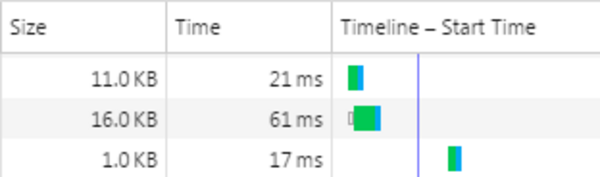
A good caching system keeps elements in the cache as long as possible, but clears them as soon as the elements are updated. For content pages in eZ Publish and most content management systems, "purge-on-publish" features are well documented. When it comes to JavaScript and CSS files, there are usually different caching systems involved, and these are important to configure. Otherwise, you'll end up with the all-too-familiar problem of a broken front-end on deployments, where the only fix is to have users do a "hard refresh" (CTRL+F5) in the browser.
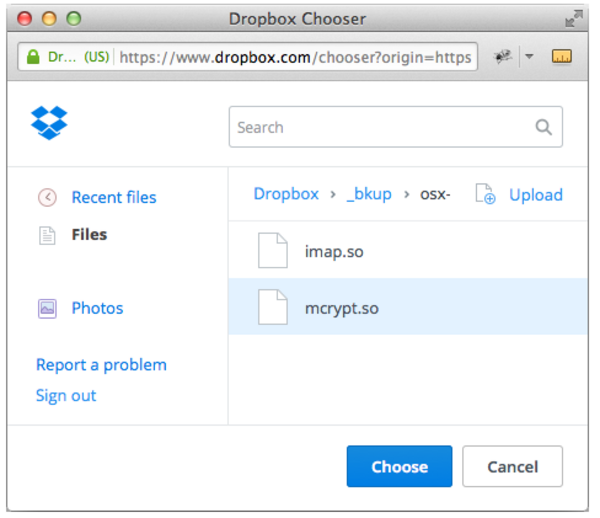
When working with a CMS, you might decide to store some files in Dropbox rather than in the CMS for several reasons, including storage, workflow, and performance considerations. The Dropbox Chooser is one of 2 Dropbox Drop-ins. The "Chooser" enables users to generate a file link from a Dropbox account, and the "Saver" enables users to save a file to a different Dropbox account. The Chooser is often most useful for CMS editors.
Using the Dropbox Chooser with the eZ Publish Administration Interface saves editorial staff a lot of time by giving them direct access to the file links they need without having to jump between Dropbox and eZ Publish. The Chooser UI also allows you to upload files to a Dropbox account, making it even easier to get everything done within one operation.
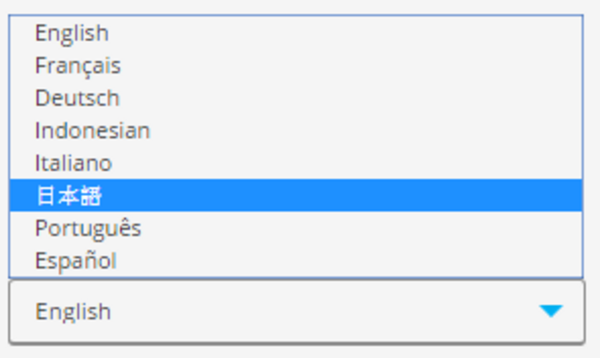
eZ Publish has had multi-language features (also called "internationalization") built into its core for over a decade. If you're considering building a multi-language eZ Publish website from scratch or to add additional languages to a single-language eZ Publish site, there are many technical details to be aware of. However, before you begin, it's important to develop a list of requirements for how end users and editors will use the languages on the site.
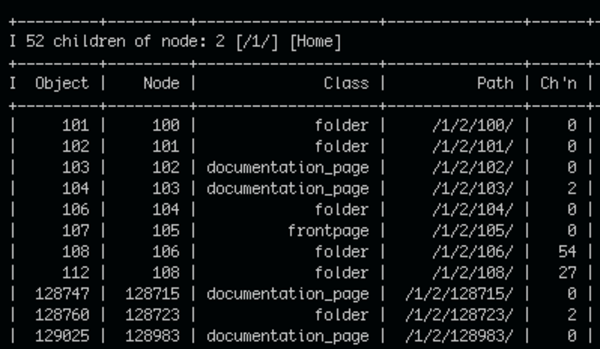
eep (Ease eZ Publish) is a command line tool we introduced in a previous post, which in combination with other command line tools like awk, grep and xargs makes for powerful one-liners. The examples in this post will highlight its versatility and show just how quickly and conveniently eZ Publish related tasks can be accomplished using eep. Get ready for some command-line fun!
When using eZ Publish's eZ Find extension on a public facing site or project -- arguably any project -- it is vital to secure it to prevent unauthorized access and potential data loss. eZ Find is powered by Apache Solr, an open-source search server based on the Lucene Java search library. Its power and flexibility make eZ Find a great tool when working with a lot of content in eZ Publish.
There are a number of ways a Solr installation can be secured. We'll look at BasicAuth via Jetty UserRealms and iptables firewall rules in detail.

Vagrant and Ansible are tools to efficiently provision virtual machines (also called VMs or simply boxes).
This blog post will begin with a short discussion of why one would invest the time to use these tools, then cover the required software, an overview of how Vagrant works with VirtualBox and the use of Ansible to provision a VM.
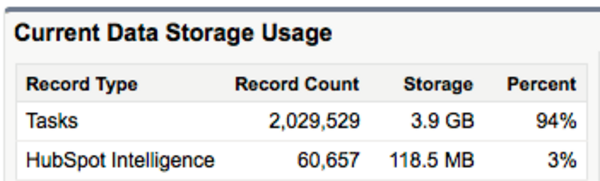
Using HubSpot together with Salesforce, you can tie your inbound marketing campaigns to your customer and lead records for a nearly complete view of every user interaction with your business. (Add some analytics and you're all set!) However, with so much data syncing going back and forth, you must take care not to go over your storage and API call limits in Salesforce. Surprisingly, data overage charges are not cheap, and if you use up your API call limits, not only will your data stop syncing between HubSpot and Salesforce, but other systems -- such as your website -- will not be able to access and update important data.
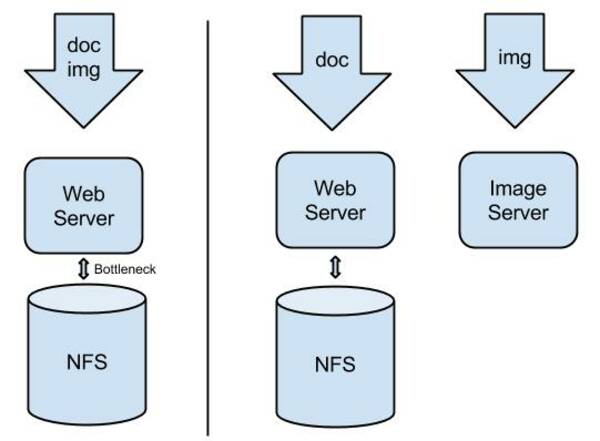
In order to increase the image serving performance of high-traffic websites and improve the editorial user interface around image management, Mugo Web came up with an alternative way to serve content images in eZ Publish. It is aptly titled the "Mugo Image Server for eZ Publish".

eZ Publish 5 comes with built-in Varnish Cache support. Essentially this means that when content is published in the eZ Publish back-end, it notifies Varnish so that the Varnish cache is cleared. This feature is often called "purge-on-publish" and makes it so that you can cache your pages for a very long time, but that edits refresh the cache and thus appear immediately. To get this native support, you just have to use the "new stack" in eZ Publish. However, even if your legacy site is not ready to be fully upgraded to the new stack and you are running eZ Publish 5 in "legacy mode", you can take advantage of this native support.

Some time ago I wrote a blog post about integrating Salesforce and Marketo in a web marketing solution powered by a content management system (in this case, the eZ Publish CMS). Recently, Mugo had the opportunity to migrate one of our clients from Marketo to HubSpot. The decision to move to HubSpot was made for non-technical reasons; regardless, it is useful to review the technical differences and challenges when it comes to integrating the marketing systems with a content management system.
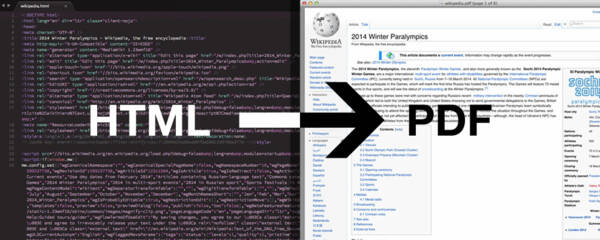
One of our customer websites sells research reports where all of the content is built and managed in the eZ Publish content management system. These reports are served via HTML through a gated website portal. They wanted to add a dynamic PDF report generation feature (based on content in the CMS); the PDF template was highly customized with nice layouts and styles, cover and back pages, custom page breaks, and much more. Over the years we've had good experiences with the ParadoxPDF extension. However due to its lack of HTML5 + CSS3 support and relatively high server load, we decided to look for an alternative solution. We found that wkhtmltopdf does a great job at producing highly styled PDFs, and we were able to integrate it nicely with eZ Publish.

Until some time ago, it was necessary to hack the eZ Publish legacy kernel in order to customize its generic error message, "Fatal error: The web server did not finish its request". This error occurs on all eZ Publish installations whenever there is an HTTP 500 status server error. It is a very common error; some examples of how it's triggered include: trying to access the value of a non-existent object attribute; the use of a non-existent PHP class or function; and too much memory usage.
Now, since this pull request from Mugo has been merged to the eZ Publish kernel, we have made it possible to customize the error page without hacking the kernel. In this post I will show you the new standard way to do this with a simple INI setting and your own PHP function.
Mugo Web
Unit 205, 332 Columbia Street
New Westminster, BC
V3L 1A6, Canada
Phone: 604-637-6396
E-mail: hi@mugo.ca