
Rasmussen Reports runs a contest where visitors have to guess what an upcoming public opinion poll result will be. Participants get points depending on how close they are to the actual result. A new question is asked every week, making for a fun, recurring way for visitors to interact with site content. Here's how we developed the contest on top of an eZ Publish extension called eZ Survey.
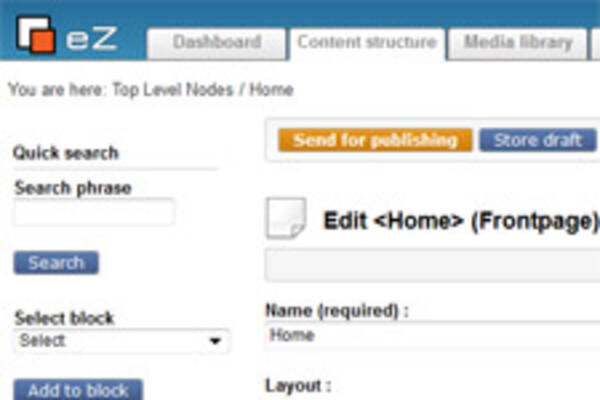
Over the years we've worked on many websites in the publishing industry. Each has a unique set of requirements and challenges, but we've been able to refine and re-use a set of tools and best practices. These make up what can be called a "publishing package" built on top of the eZ Publish framework.
Using eZ Publish's siteaccess system combined with hidden nodes, you can quickly create a flexible content staging solution.

Optimizing the editorial experience in a Content Management System is a continuously evolving task. The challenge is to make the CMS an enabling tool to help editors publish content as efficiently as possible. In many organizations, specific requirements at each publishing step can be complex and dynamic. Here are 10 built-in tricks, ways to extend the interfaces, and ready-made custom extensions to unleash the power of eZ Publish content management.

Having multiple projects stored in one Subversion repository is a challenge if you want to move one of the projects to another repository. Also, over time, moves and deletions can bloat the size of your repository with obsolete, unused data. In this article, we will show you how to extract SVN projects to their own repositories, preserving full commit histories.
For those who write long-running scripts in eZ Publish to perform operations (move, rename, update, and so on) on many content objects, here are a couple of quick tips to speed up the scripts and make them more efficient.

I noticed a while ago on a client's website about Canadian books that some of the book nodes would have their url_alias broken and the url /content/view/full/<node_id> would be shown instead of the nice url. Running the updateniceurls.php would not solve the problem so I had a look at it and tried to see what could cause the problem and realized that the two tables ezcontentobject_tree (containing the node information) and ezurlalias_ml (containing the url_alias path parts) had different data for the same node.

We recently implemented two different designs where the menu remained fixed to the edge of the screen as the user scrolled. One case involved vertical scrolling and the other involved horizontal scrolling. Each had a subtle challenge and both were fun to work on!
4 years ago, in 2008, we first met what is now one of our longest ongoing clients, Rasmussen Reports. There was some stress and urgency to their problem, as their site was crashing leading up to the most important time of the year for them -- the US presidential elections. We managed to stabilize their site and imagined a time in the distant future: a less stressful 2012 election period! The month leading up to November 6, 2012 turned out to be a record-breaking traffic month for a couple of our clients, including Rasmussen Reports. This time around, we had no website hiccups during an election season that saw more than twice as many visits in the peak month and an almost 3-fold spike in pageviews from the previous major election's 1-day peak.
Here are some of the site performance best practices we implemented in advance of the 2012 elections.
A couple of months ago we made the decision to stop using mysql-mmm on one of our client sites. We had been burned by a couple of incidents where automatic failover had caused more problems than we had imagined it would solve. Data ended up being written to the wrong server a few times, causing a bit of a nightmare to merge the forked database after the fact. Although we had other concerns about mysql-mmm, a major factor in our decision was our assessment that in our specific case of assigning MySQL master-slave IP addresses, human-triggered manual failover was essentially as good as automatic failover, and carried much less unexpected risks.

On Thursday, October 25 at 9am PT / 12pm ET, the eZ Publish Americas community will be hosting two presentations: an introduction to eZ Publish 5 and Symfony; and a comparison between eZ Publish and Drupal. This is the second episode of a regular presentation series, and one of several initiatives of the community.
There a few cases when you want to trigger a re-index parts of your site; for example, you might make an existing attribute searchable or you might change some index boosting settings. However, default eZ Publish indexing tools only allow you to re-index the entire site. This is not particularly efficient if you have a very large site and/or if you're just trying to test a small change in your development environment. Here are a couple of tools that you can use to re-index specific parts of a site.
Mugo Web
Unit 205, 332 Columbia Street
New Westminster, BC
V3L 1A6, Canada
Phone: 604-637-6396
E-mail: hi@mugo.ca