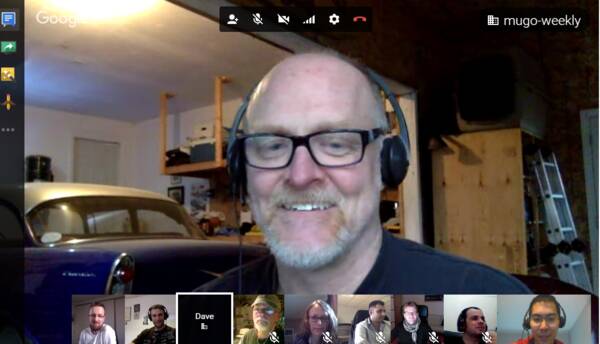
It's 9am on a Monday morning; do you know where your team members are? For most companies, there's a straightforward answer to that question: they're in the office, at their desks. That's not the case at Mugo, but not just because we offer flexible schedules and treat work/life balance seriously. It's because we're a distributed team, which is an essential part of what makes us a good team.
Update (November 2017): Unfortunately, Facebook has deprecated Comment Mirroring and it is no longer possible to use this feature: https://developers.facebook.com/blog/post/2017/11/07/changes-developer-offerings/.
We recently migrated a client to Facebook comments and enabled Comment Mirroring. Though the process is simple, it’s poorly documented and a little finicky. Here's a rundown!
When you share a page from your website to your Facebook page, Facebook Comment Mirroring brings together the comments from both places into a single conversation. This means that you can use an active Facebook presence to generate engagement on your website, and vice versa. Once configured, comments are updated and synced in realtime by the Facebook JavaScript SDK.
Here's an overview of what's involved:

Want to pick up some pro strategies on how to make your website accessible to people with disabilities?
On Tuesday, July 11, our in-house accessibility expert will share his knowledge and technical tips on web accessibility.
We’ve been writing a lot about accessible websites lately because it’s a topic we’re passionate about at Mugo Web. We believe that whether or not web accessibility is governed by law in your region, making your site accessible to people with disabilities is good business practice. And there are literally millions of reasons to do so.

If you landed here because you’re researching a content management system, then you already know there are literally thousands to choose from. Some you’re probably familiar with, but most you likely haven’t heard of. Narrowing down a shortlist can be overwhelming.
But if content is key to your business, you’ll want to choose a system that makes dealing with lots of content -- and leveraging it throughout your site and across other channels -- easy and intuitive.
Working with CSS preprocessors like Sass or Less is much more fun than working with pure CSS. Here's a simple shell script to integrate Sass into your eZ Publish project.

It’s the darling of today’s marketing mix: the marketing automation solution. Its very name can bring marketers palpable relief: imagine automating one of the most difficult and time consuming parts of your job -- lead nurturing -- so that lead conversion starts happening with minimal intervention. It’s every marketer’s dream!
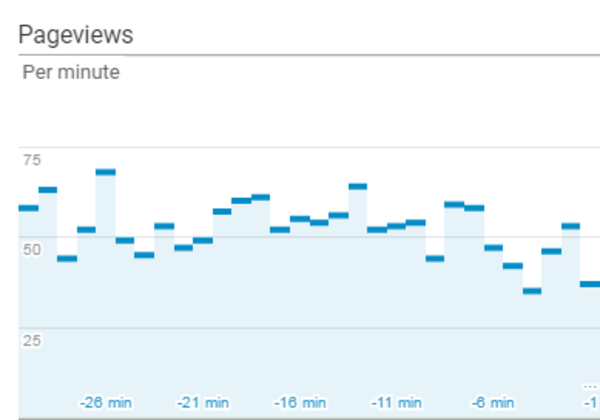
You want to be able to track visitor analytics for websites that spread across multiple subdomains and domains in the same Google Analytics property, tracking users across sites in unified sessions. Let's suppose you have a general-purpose publication with a travel section spread across multiple subdomains and domains, as well as across different paths. You can create a view in Google Analytics so that the team in charge of the travel section can focus on the data they're interested in, with statistics and reports for the travel pages only.

Hungarian psychologist Mihaly Csikszentmihalyi coined the term “flow” to refer to the positive feeling that results from being engaged in a focused task. It’s an apt description for the “workflow” experience we try to create for our publishing clients.

The reasons for bringing your website in line with the Web Content Accessibility Guidelines (WCAG) 2.0 are well documented. Whatever your rationale for embarking on this worthy task, you will need to assess your current online presence for compliance.

Auditing and developing accessible websites will require you to become familiar with what is referred to as a “screen reader”.

In eZ Publish 5.x and eZ Platform, we use Assetic to manage a website's JavaScript and CSS. By default, if you make a change to your JS or CSS files, the resulting file name ends up the same. This has some undesirable cache implications that vary depending on whether you're using a reverse proxy or CDN, how you've set up browser caching rules, and more. Here's a simple way to version the file names, while still being able to cache the files as much as possible.
Mugo Web
Unit 205, 332 Columbia Street
New Westminster, BC
V3L 1A6, Canada
Phone: 604-637-6396
E-mail: hi@mugo.ca