New 'Find my registration' feature enhances Mugo Library events functionality
By: Bethany Morse | March 24, 2026 | Libraries and development
Recently, we added a new feature to the Mugo Library all-in-one CMS solution for library websites to make it easier for patrons to search for their event registrations. This enhancement makes providing quality customer service in libraries easier and puts more control in the hands of patrons.
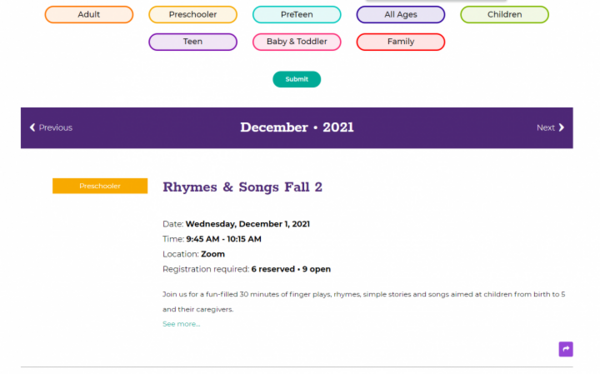
Modern libraries have programs and events happening all the time, and promoting events is a key part of getting people into the library building. It’s essential that libraries have a user-friendly online calendar and an intuitive registration system. Our existing solution already had a filterable calendar, with registration (for single attendees or family registration), automatic email confirmations (with links to cancel if needed), and automatic reminders 24 hours before the events. But library patrons are likely to sign up for many programs at a time, and all those emails can be hard to keep track of. That’s where the Find my registrations feature comes in.

Patrons can enter their email address in the provided field. The system then searches through upcoming programs for that email address. If it finds registrations, the patron will see a confirmation page that tells them to check their email. If it doesn’t find any current registrations under that address, the next page will tell them that instead, and offer an opportunity to search using an alternative address.
When registrations are found, the system sends a single email to the requested address with a listing of all events the patron has registered for using that address. Each event listed will show the name, date and time of event, and a link to cancel. If the registration is for a series of events, that will be noted. The events are separated into two lists: 1) upcoming events that the patron has confirmed registration in; and 2) the ones for which they are still on the waiting list.

Putting all this information into a single email helps patrons have up-to-date and easily accessible information whenever they have a question about their registrations, without having to contact the library directly. Using an email address makes it secure, without patrons having to establish accounts on the system (which also makes website management easier for librarians and limits security issues for the overall site).
We also added a back-end feature to make it easier for staff to find specific patron registrations. Previously, each individual event could be searched by email in the registration table. Now, staff can go to one centralized location to search across all events simultaneously.

This search doesn’t trigger an email, as it’s in the secure CMS. Instead, it displays the results immediately, listing upcoming events with an existing registration or waitlist registration for that address, along with the date, start time, and link to the full registration record.

Staff can find specific entries easily and update or edit them if required. And thanks to Mugo Library’s tiered permission, desk staff could have access to this feature without having permissions to manage other site content. There are many use cases for this feature, but the primary one is assisting patrons in finding and updating registration details without having to go program-by-program.
These features go hand-in-hand and are designed to provide a better user experience for patrons and save staff time when providing customer service for their community members.