Improvements to the Mugo Library events calendar system
By: Bethany Morse | May 12, 2026 | Libraries
The latest improvements to the Mugo Library platform focus on enhanced usability for library staff. Since these back-end improvements aren’t as noticeable as the front-end user experience, we wanted to take the opportunity to give a peek “under the hood”, and showcase what makes the Mugo Library event and calendar solution ideal for public libraries. Our new enhancements include expanded reporting, a new viewing interface, back-end patron search, and integration with the meeting room module.
If you’re not familiar with the custom event calendar and registration system inside Mugo Library, it already has a lot to love. Features include:
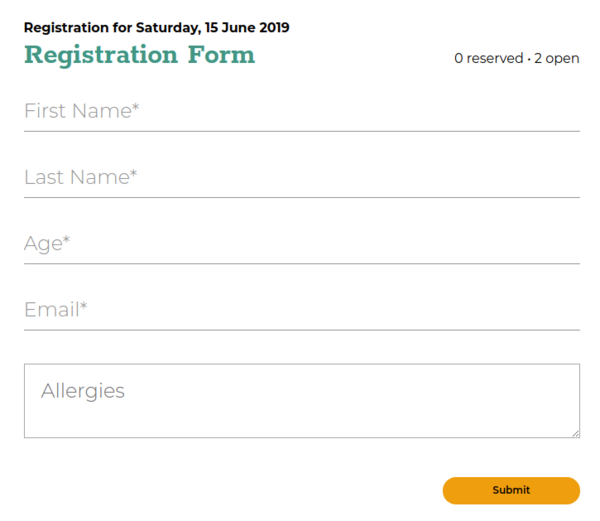
- Customizable registration form
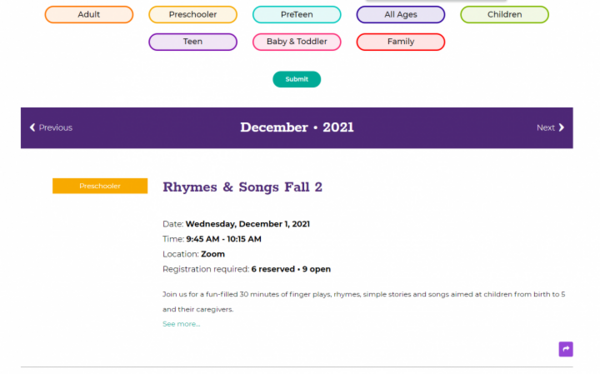
- Ability to specify limits for registration and wait lists
- Automated emails
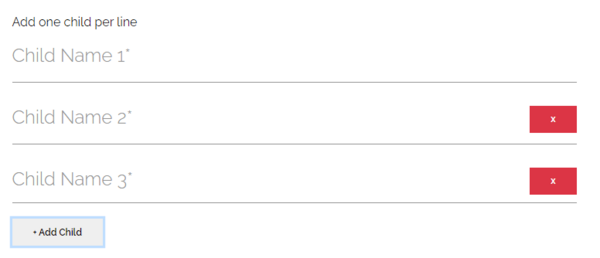
- Family registrations
- Frontend “Find my registration” feature for users
The back-end already had several features designed to make event and registration creation as user-friendly as possible for library staff, such as recurrence rules and drag-and-drop fields for registration forms. We’ve heard from our clients about how much the event system has changed how they plan their library programs for the better, but we still knew there were UI improvements that could make life even easier for event programmers.
Back-end calendar view
Oftentimes, the staff putting programs on the event calendar are not the full site admins. Thanks to the system’s tiered permissions, which provide customized access to specific parts of the CMS, more people can contribute content to the site. Program librarians can build event listings or add details and only deal with that part of the site.
This can mean some of the intricacies of the site navigation, and might be less familiar to these users. It also changes from library to library. Site admins have control over the file structure of the items in the calendar on the back-end, and have tools to organize it as best suits their system. In some cases, this meant librarians would have to navigate through multiple folders to find an event listing to edit. It’s also a tendency of libraries to have events with similar names. For instance, story times happen all year, often on the same date and time weekly. Using the back-end search for an event title like this could bring up an excessive number of results.
To facilitate quicker access to the event editing interface, we added a calendar view to the backend.

When selected, this opens an overlay that displays all the events on a calendar layout. Event editors can click on the title in the date and time they need and go directly to the record. This makes it easier to access registration lists as well. It maintains the file structure determined by the library, keeping organization consistent.

Patron search
Site administrators could always search individual program registration by name or email (as well as export registration data to CSV). However, this wasn’t the most user-friendly approach when it comes to dealing with customer service requests. Patrons don’t always have the exact program name when calling to inquire about their registration status. Desk staff are usually the ones dealing with this type of request, and more often than not, also handling a dozen other tasks simultaneously. They likely don’t have the time to do separate searches in multiple events. To help with this, we added the back-end patron search (which complements the frontend “Find my registration” feature). Using this, staff have one button to click to search across all registrations using an email address. The search results pull up all upcoming records for that address with confirmed registrations and waitlist status. The information is displayed in one table, with links to the individual event records. It makes finding patron information much easier.

Enhanced reporting
Librarians keep excellent statistics. Reporting is essential to show library usage, and is required by many municipalities and oversight organizations. Knowing how much data collection libraries have to do, it makes sense to incorporate a feature to make that process easier when possible. The enhanced event reporting allows site administrators to define a time period and pull program registration data from all programs for that range into an exportable table. The enhanced reporting displays:
- Program title
- Program start date and time
- Program end date and time
- Program categories (these are determined by the libraries during development and most often describe the audience the program is intended for)
- Program location (branch tag)
- Capacity of program (registration limit set by event creator)
- Number of confirmed registrations
- Number of registrations on the waitlist
- Number of cancelled registrations
- Link to full details of program (this links to the event object in the backend, where the event is editable, and also where the registration lists reside)

This table, once compiled, is searchable and can be exported to CSV for further sorting and compilation for statistical purposes.
Integration with meeting room management
The last UI improvement for this round was designed as a time saver for staff, one we knew would be of interest to many libraries.
In addition to the event calendar, our solution also contains a module to help manage meeting rooms and community spaces within the library. This was intentionally built separately from the event calendar to provide the most flexibility of use for libraries. The meeting room module can be used for in-house bookable equipment, test proctoring, book-a-librarian appointments, as well as study rooms and community spaces.
On the frontend, patrons can see unique calendars for the resource they are interested in, with the current availability. Each resource has a custom schedule, which limits when patrons can request bookings. Existing bookings show as “reserved” with the time blocked off, but all details of the booking are kept private from public view.
The system has an approval workflow, so staff can manage bookings as they are submitted. In the case of community spaces that are also used as library programming spaces, this meant that library staff would have to create their event listing and then go into the meeting room module to add a booking for the date and the time of the program.
With our new integration, we’ve turned that into one step, saving valuable time for librarians.

Now, when creating an event, library staff can select the room in which the program will take place from a drop-down list. Once the event is published, the system adds a block to the availability for that time. On the frontend, it shows as unavailable, in the same manner as other bookings. On the backend, it shows in the room calendar in a different color from patron bookings, and links back to the event details.

Mugo Library is the solution your library is looking for
The Mugo Library all-in-one website solution is constantly evolving, thanks to the valuable input from our library clients. Mugo Web created this solution with librarians and for librarians, to make sure it serves the needs of a modern library. If you are interested in learning more about how the Mugo Library system could help improve your library’s workflows and create a better user experience for your patrons, contact us for a full demo.